Managing multiple AI coding sessions used to mean juggling terminal windows, copy-pasting context between conversations, and losing track of which agent was working on what. With Prompter Hawk, you can orchestrate Claude, OpenAI, and Gemini agents from a single dashboard while they work in parallel on different parts of your codebase.
In this tutorial, we will walk through setting up your first multi-agent mission where agents collaborate on a feature implementation.
The Dashboard: Your Mission Control
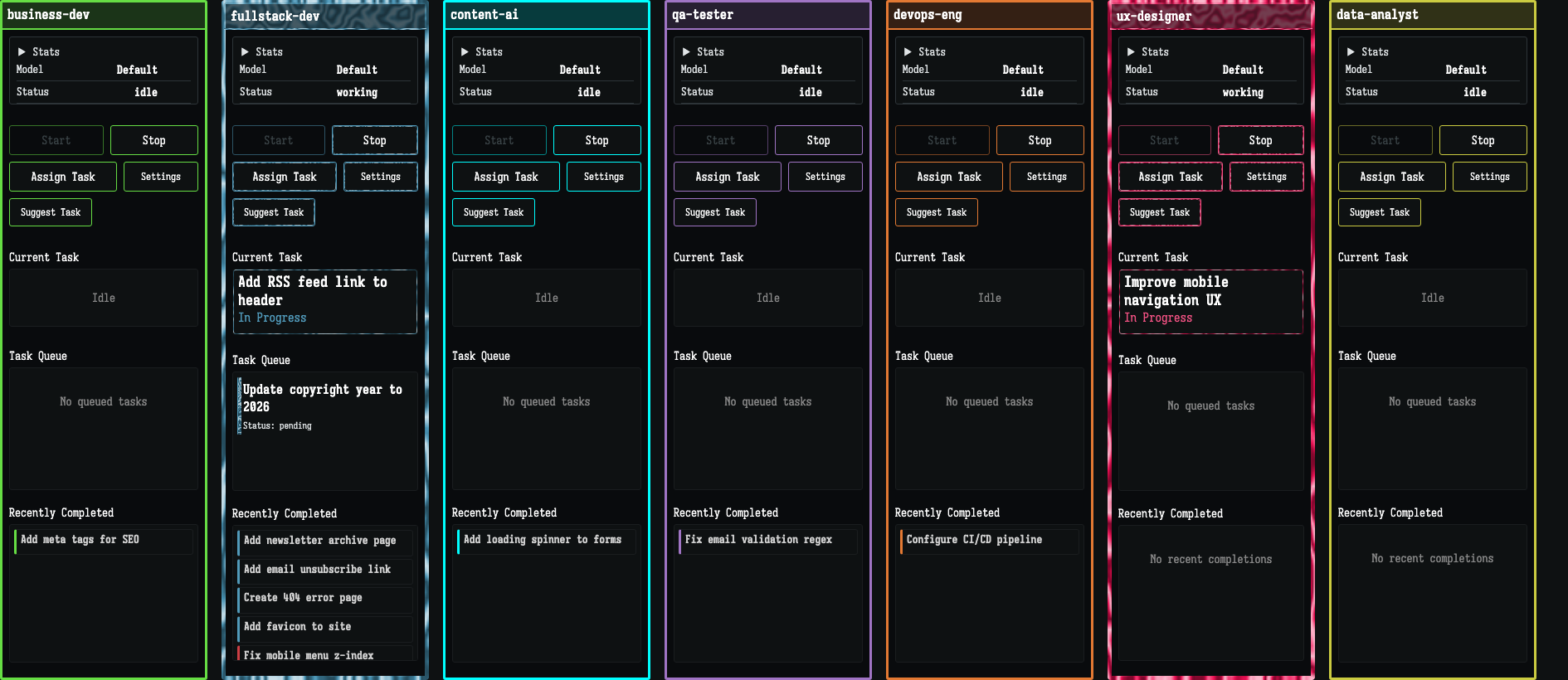
When you launch Prompter Hawk, you are greeted with the mission dashboard. This is where you monitor all your active agents, view their progress, and manage task assignments.
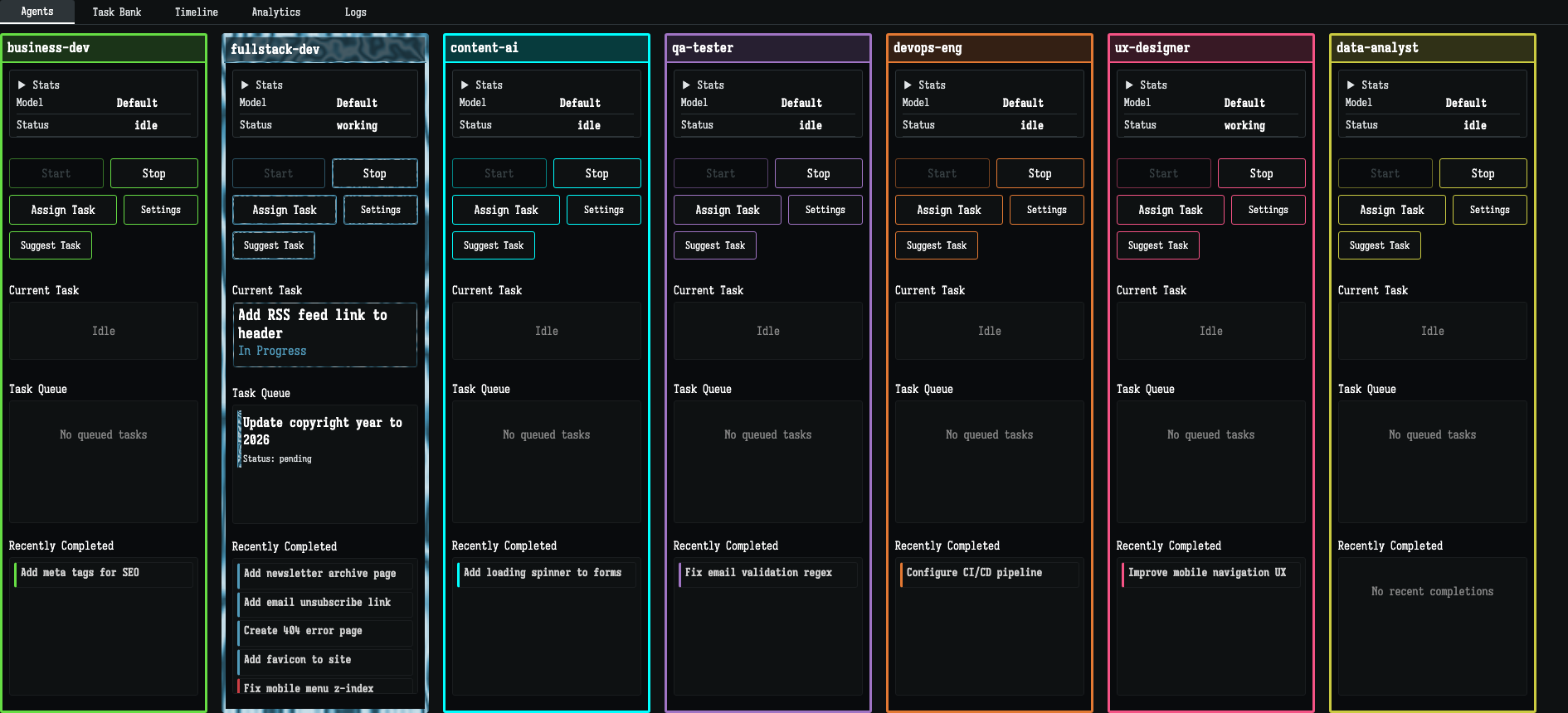
Each agent gets its own panel where you can see real-time output, current task status, and resource usage. No more scrolling through endless terminal history to find what you need.
Setting Up Your Mission
A mission in Prompter Hawk is a collection of related tasks and agents working toward a shared goal. Think of it as a project workspace where context is automatically shared between agents.
Step 1: Define Your Agents
Start by deciding which agents you need. For a typical feature implementation, you might use:
- Backend Agent - Handles API endpoints and database logic
- Frontend Agent - Builds UI components and interactions
- Test Agent - Writes and runs tests as code is created
Step 2: Create Tasks
Break your feature into discrete tasks. Prompter Hawk tracks dependencies automatically, so you can queue up work and let agents pull tasks as they complete their current work.
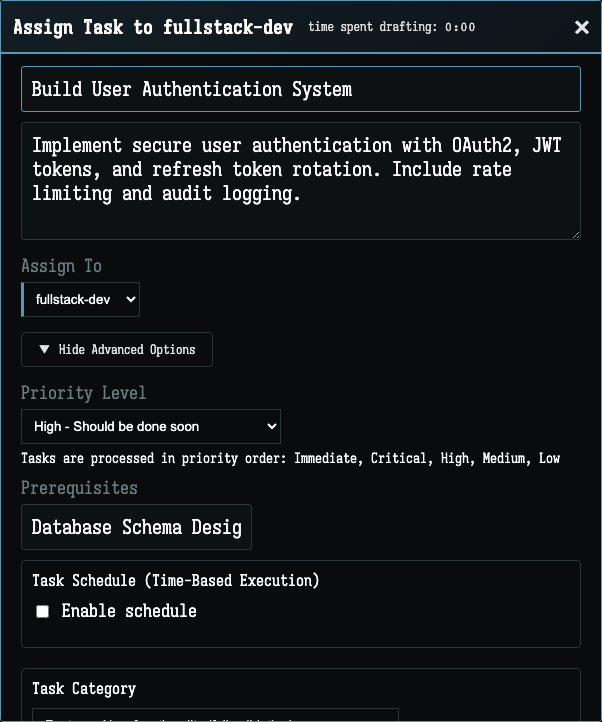
Pro Tip: Tasks can be marked as dependent on other tasks. The frontend agent will automatically wait for the backend agent to finish the API before starting UI work.
Monitoring Progress
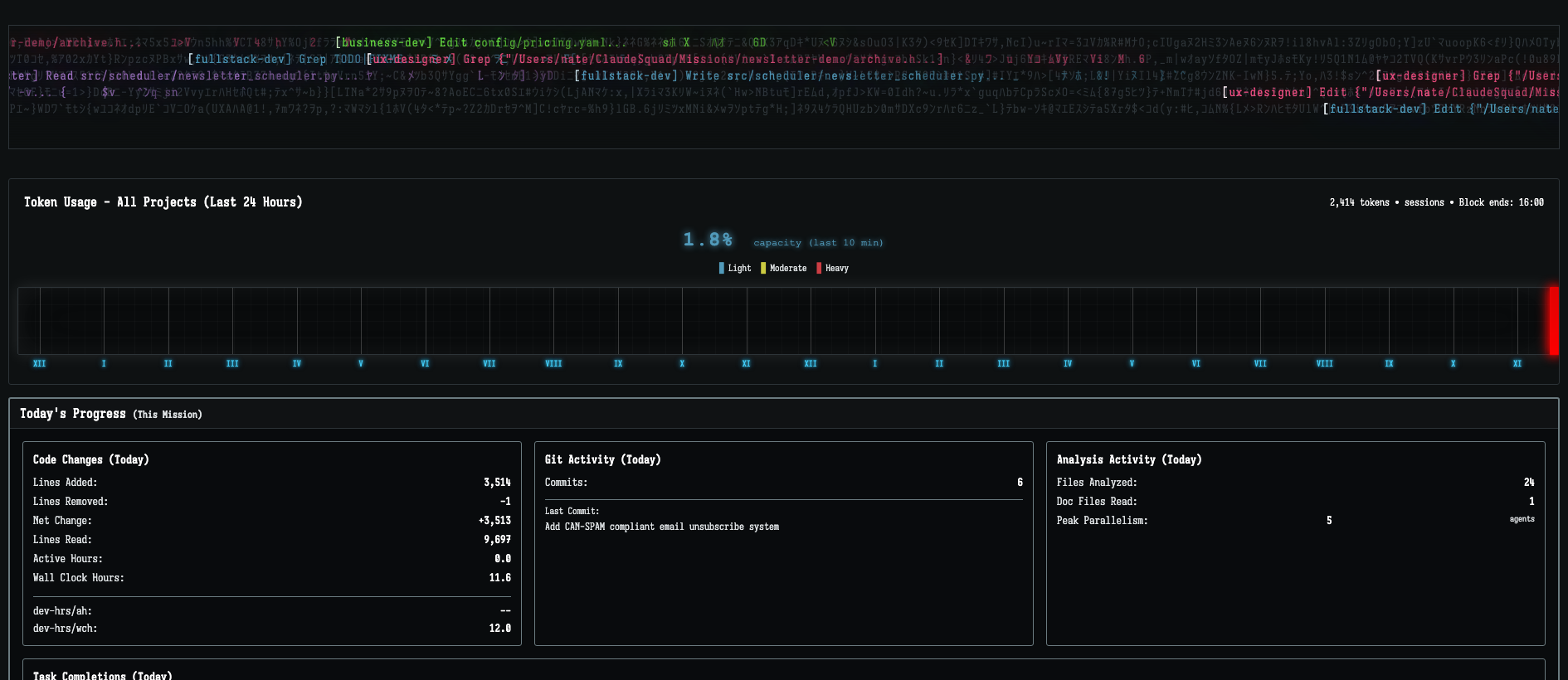
As agents work, Prompter Hawk provides comprehensive analytics. Track token usage, task completion rates, and identify bottlenecks in your workflow.
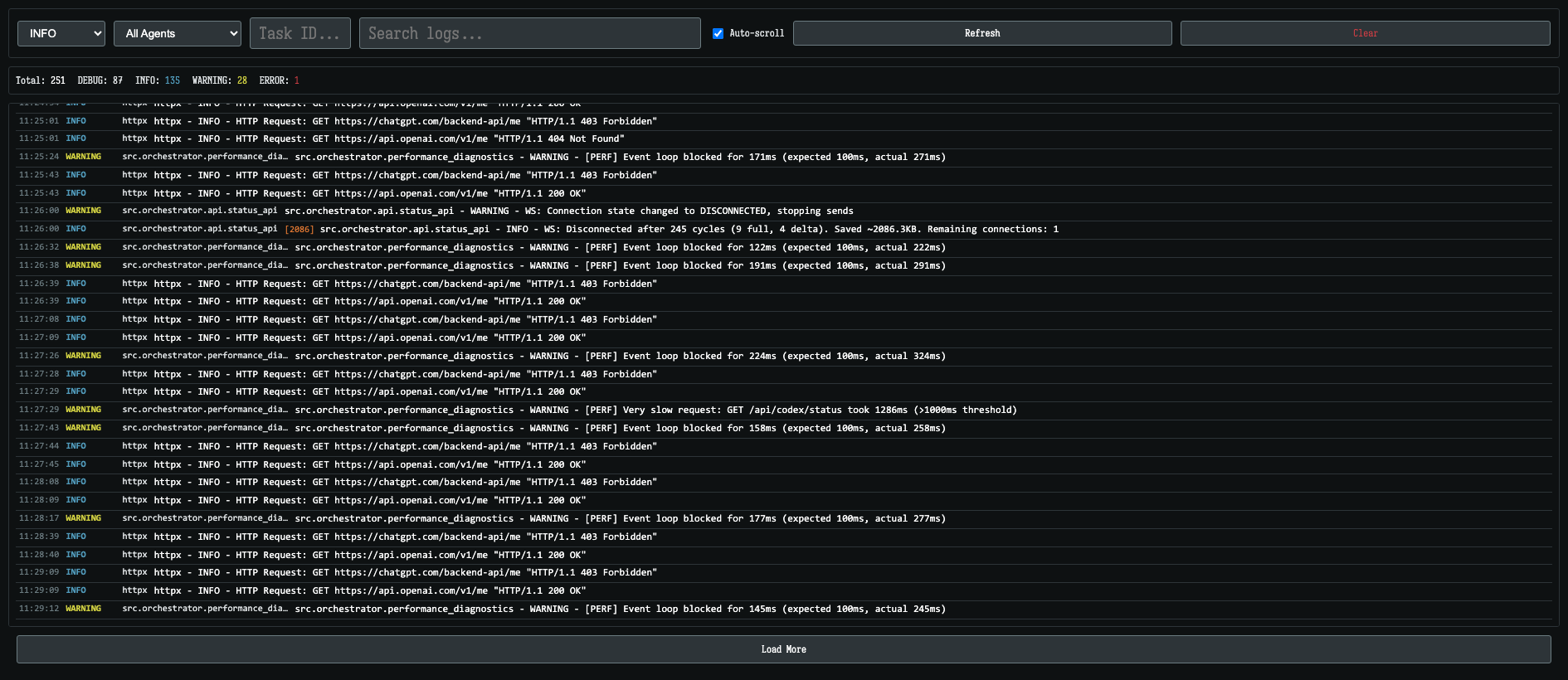
The Logs Panel
Every agent action is logged with full context. Filter by agent, search for specific events, and quickly debug issues without losing your place.
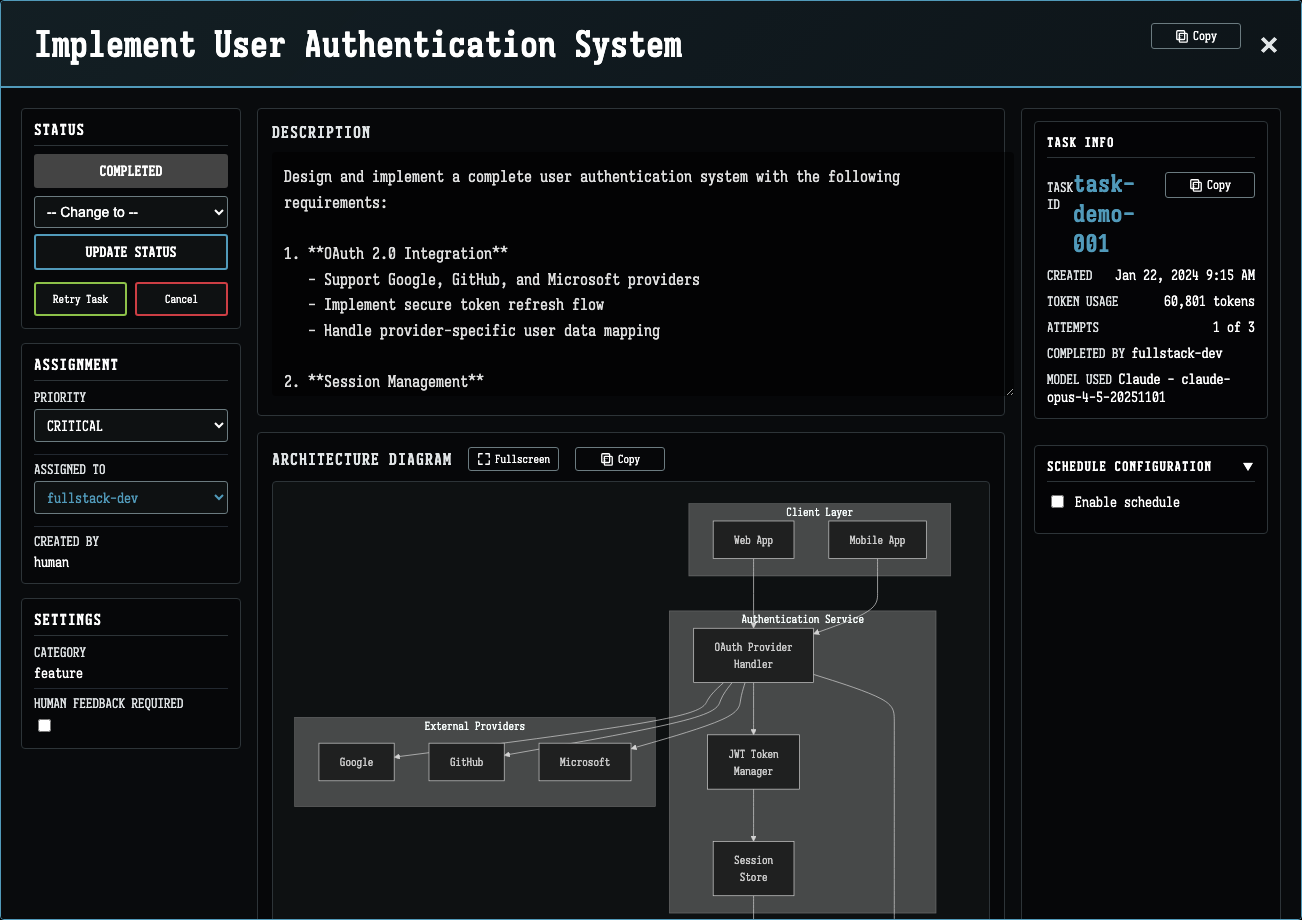
Deep Dive: Task Details
Click on any task to see comprehensive details: prerequisites, assigned agent, token usage across attempts, and technical metadata. The task detail view gives you full visibility into what each agent accomplished.
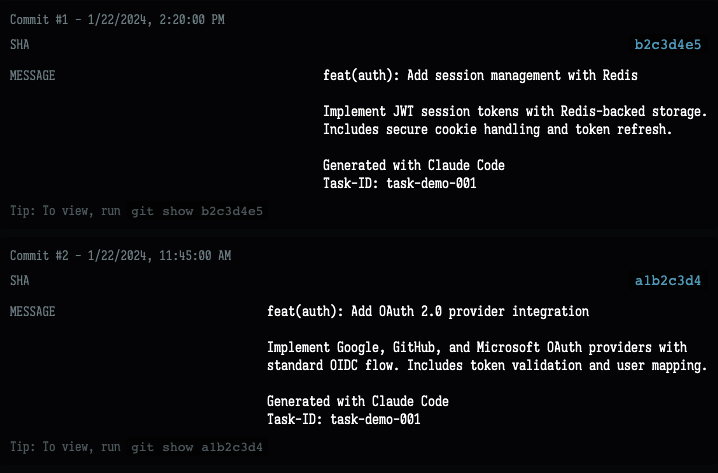
The Technical Details section includes tabs for update history, file outputs, git commits, and message logs. You can trace exactly what happened during task execution.
Why Multi-Agent Development Works
Traditional AI-assisted coding is sequential. You ask for a feature, wait, review, ask for tests, wait, review again. With multi-agent orchestration, your agents work concurrently:
- Backend agent implements the API while frontend agent designs components
- Test agent writes integration tests as soon as interfaces are defined
- Documentation agent keeps docs updated as features land
The result is dramatically faster development cycles. What used to take a day of sequential prompting can happen in an hour of parallel work.
Getting Started
Prompter Hawk runs entirely on your local machine. Your code never leaves your computer, and you bring your own API keys from Claude, OpenAI, or Gemini.
Ready to Accelerate Your Development?
Download Prompter Hawk and start orchestrating AI agents today.
Download Now